
Visitor and employee recognition
Connect CCTV activity with ERP records to distinguish employees, visitors and customers, and follow visits from entry to exit.
AI-powered CCTV monitoring that connects activity across your workplace with the people, transactions and workflows in your ERP.
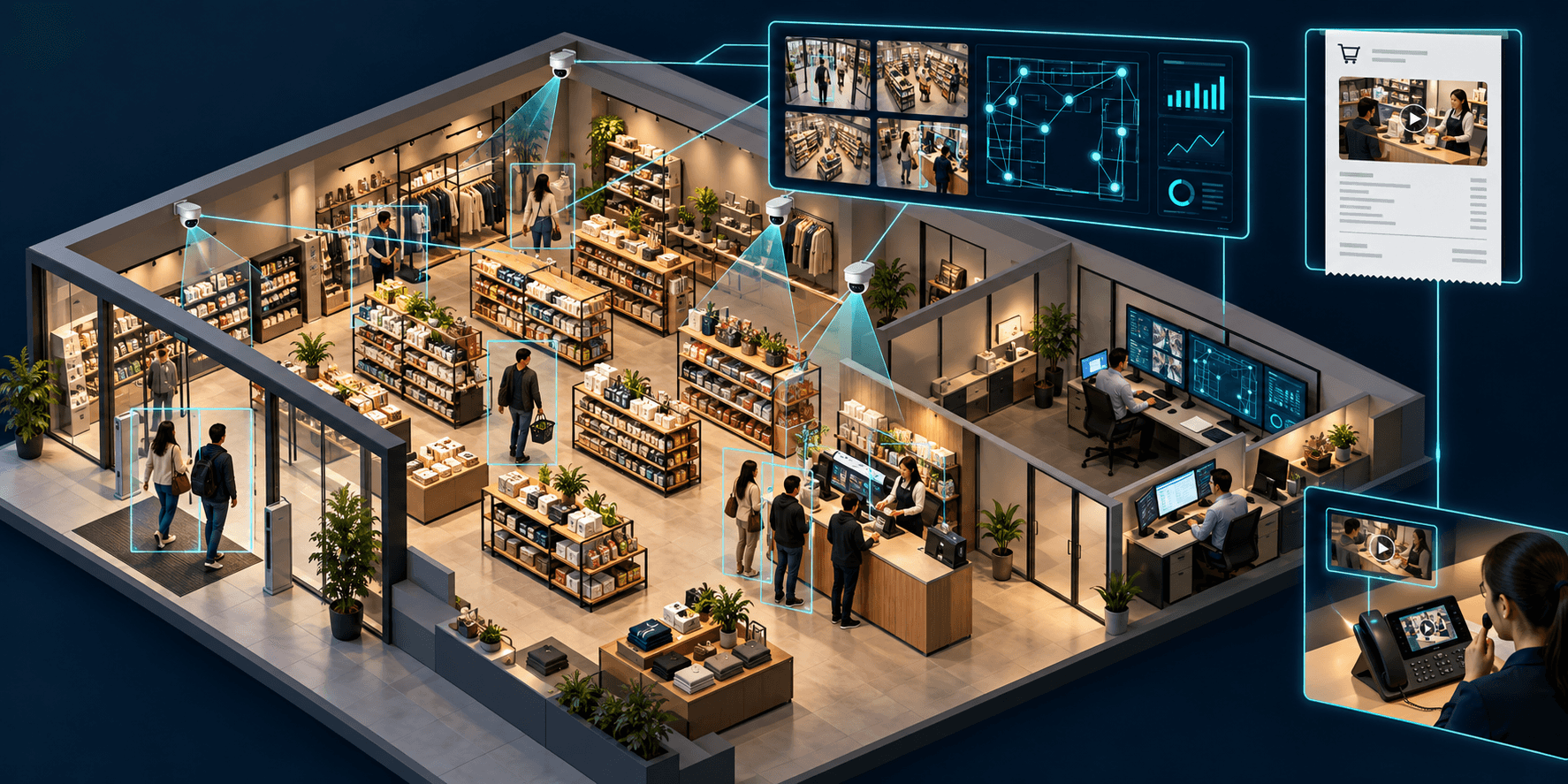
Tranz CCTV-Based Monitoring is our AI-integrated software for connecting workplace cameras, business records and communication.
Connect the CCTV cameras across your shop or office to understand who is on site, where activity happens and how the day unfolds. Employee, visitor and customer context comes from your internal ERP.
Bring video and business data into one workflow. Review a customer visit from an invoice, investigate a counter delay or contact an employee through their intercom extension.
When an invoice is created in your ERP, the software retrieves the associated customer’s video and saves it with that invoice.
Capture activity across entrances, counters and work areas.
Connect a visit across camera views and observed events.
Match the person and link their visit to the invoice.
Open the invoice to review the visit from entry to exit.
Click the invoice to review the linked video and understand the customer’s journey through your shop.
Explore a broad range of metrics, configured around the people, spaces and workflows in your business.
Connect CCTV activity with ERP records to distinguish employees, visitors and customers, and follow visits from entry to exit.
Review active time, break duration, observed mobile-phone use and response times across configured workplace activities.
Measure queue length, time spent waiting and service duration to understand where sales counters need attention.
Review product engagement, dwell time and interactions for signals of satisfaction or friction, alongside human observation.
Select a person in the software to call their mapped SIP intercom extension, without remembering the number.
Build reporting around your business: zones, roles, counters, service workflows and the events that matter to your team.
Metrics depend on camera coverage, configured events and ERP matching. Behavioral signals support review; they do not establish a person’s feelings or satisfaction on their own.
Start with the cameras, ERP and intercom setup you already use.
Review your CCTV setup, coverage and the entrances, work areas or counters you want to monitor.
Define ERP identity matching, invoice events and the video records your team needs to access.
Choose operational use cases, map SIP extensions and agree on video access and retention for your workplace.
Tell us about your workplace, CCTV setup and ERP for a product walkthrough tailored to your use cases.